

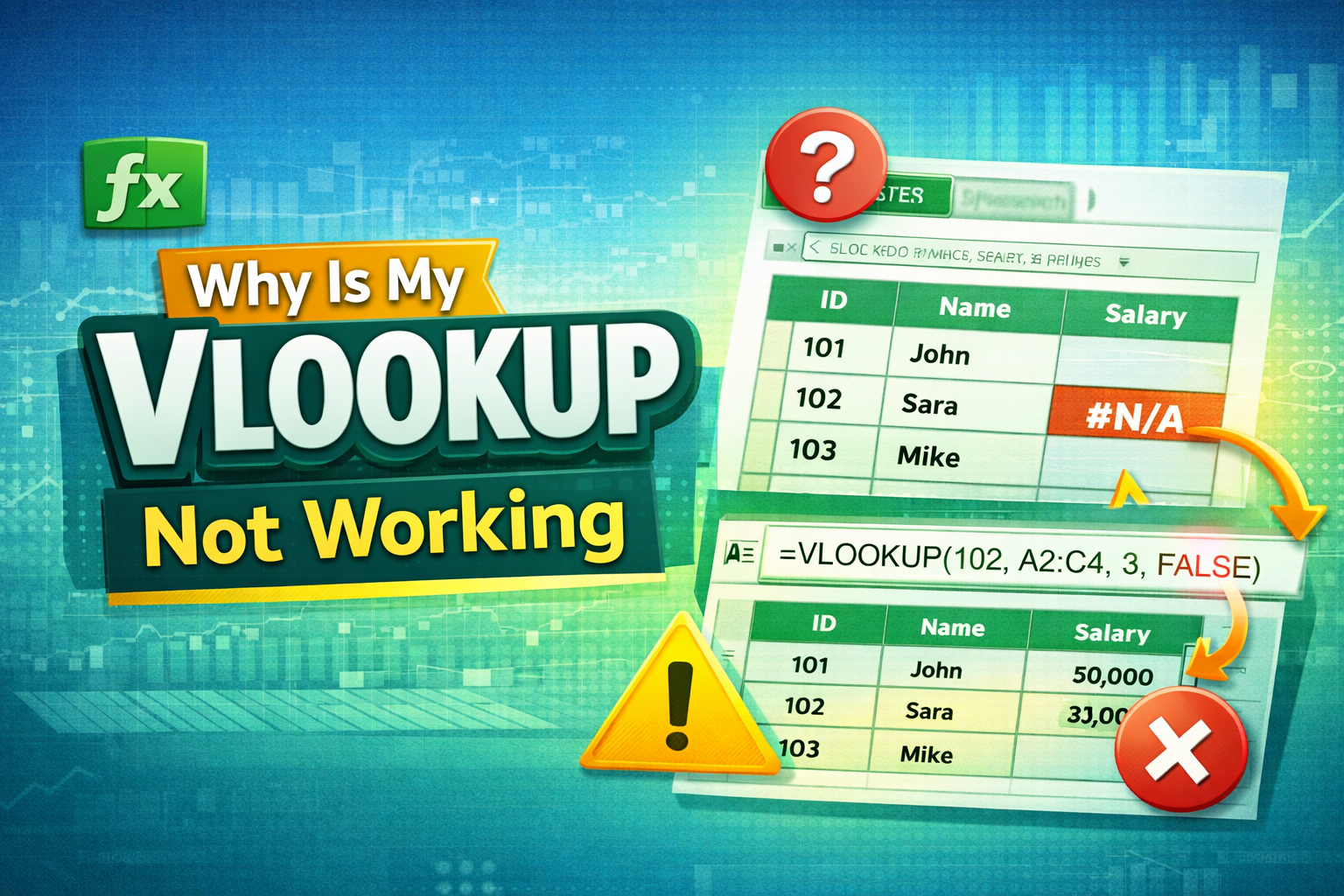
🔍 What is VLOOKUP?
Before understanding why is my vlookup not working, it’s important to know what VLOOKUP does.
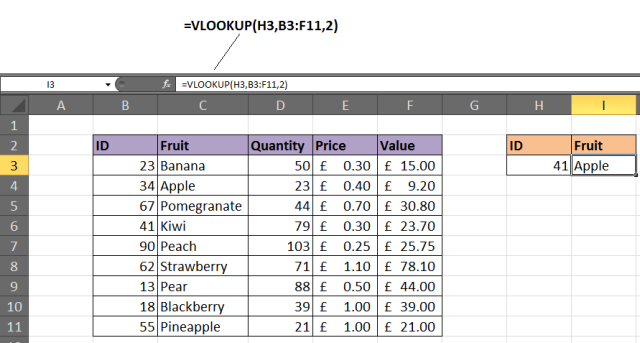
VLOOKUP (Vertical Lookup) searches for a value in the first column of a table and returns a corresponding value from another column.
⚠️ Why Errors Occur Frequently
VLOOKUP is powerful—but also sensitive. Even small mistakes like spaces or wrong references can break your formula.
🚨 Common Reasons Why VLOOKUP Is Not Working
❌ Exact Match vs Approximate Match
If you don’t specify exact match, Excel may return wrong results.
=VLOOKUP(A2, A2:C10, 2, FALSE)
👉 Always use FALSE for accurate results.
🔢 Data Type Mismatch
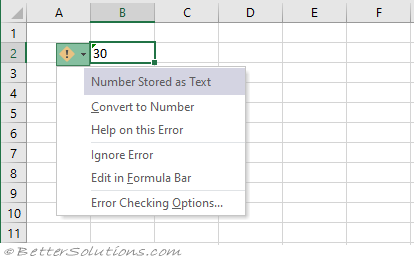


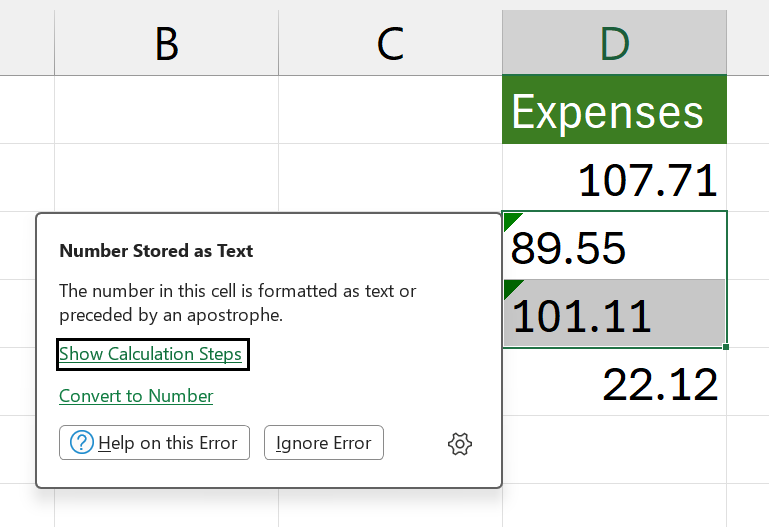
If one value is number and the other is text, VLOOKUP won’t match them.
📉 Incorrect Range Selection
If your table range does not include all columns, the formula fails.
🔢 Column Index Errors
Example:
=VLOOKUP(A2, A2:B10, 3, FALSE)
👉 Error because column 3 doesn’t exist.
🧹 Hidden Spaces and Characters
Extra spaces can break matches.
📊 Understanding VLOOKUP Syntax
🧩 Formula Structure
=VLOOKUP(lookup_value, table_array, col_index_num, [range_lookup])
📌 Argument Breakdown
- lookup_value → Value to find
- table_array → Data range
- col_index_num → Column number
- range_lookup → TRUE/FALSE
🪜 Step-by-Step Troubleshooting Guide
📌 Step 1: Check Lookup Value
Ensure:
- No spelling errors
- Correct format
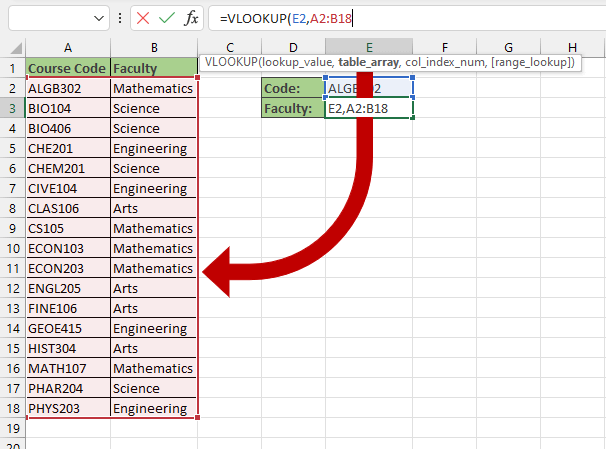
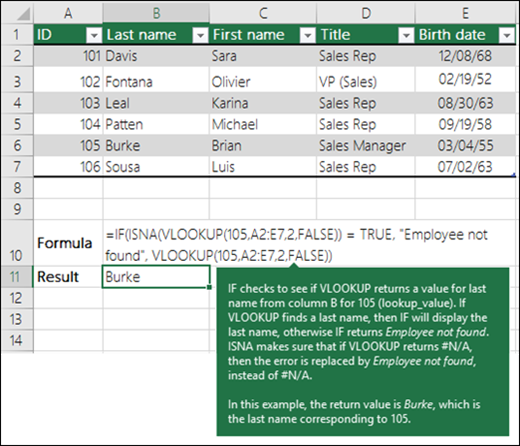
📌 Step 2: Verify Table Range
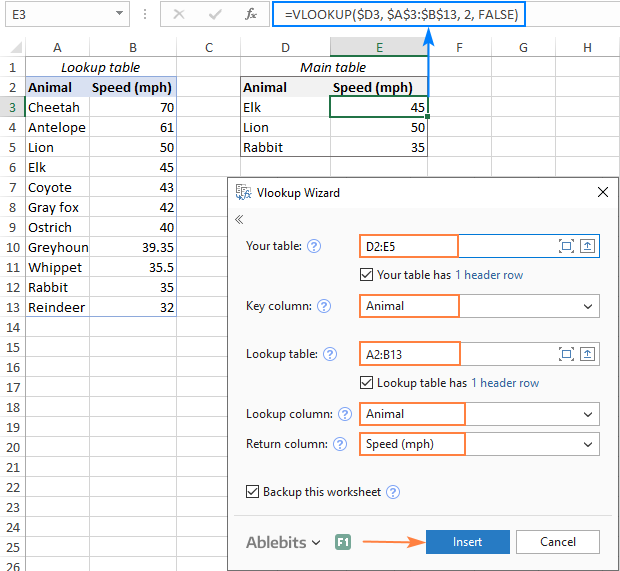
Make sure:
- Lookup column is first column
- Range includes return column
📌 Step 3: Fix Column Index
- Use correct column number
- Count from left
📌 Step 4: Use Exact Match
Always use:
FALSE
📷 Real Examples with Screenshots
❌ Error Example (#N/A)
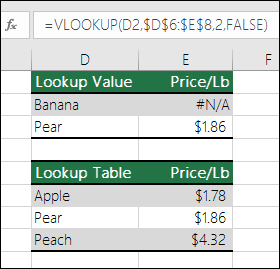
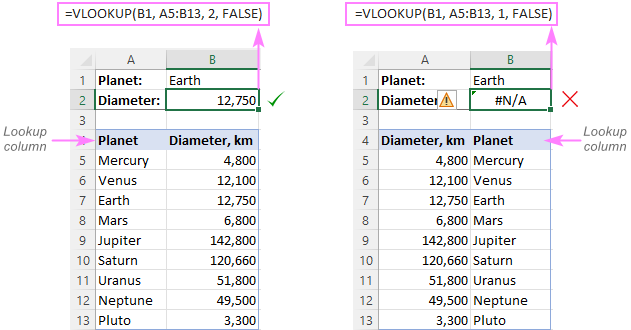
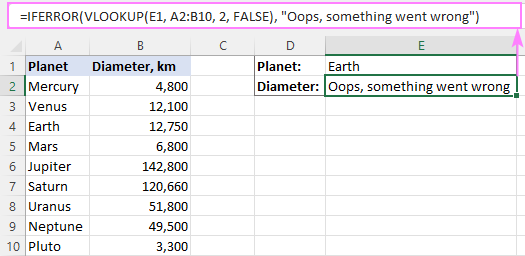
✅ Fixing the Error
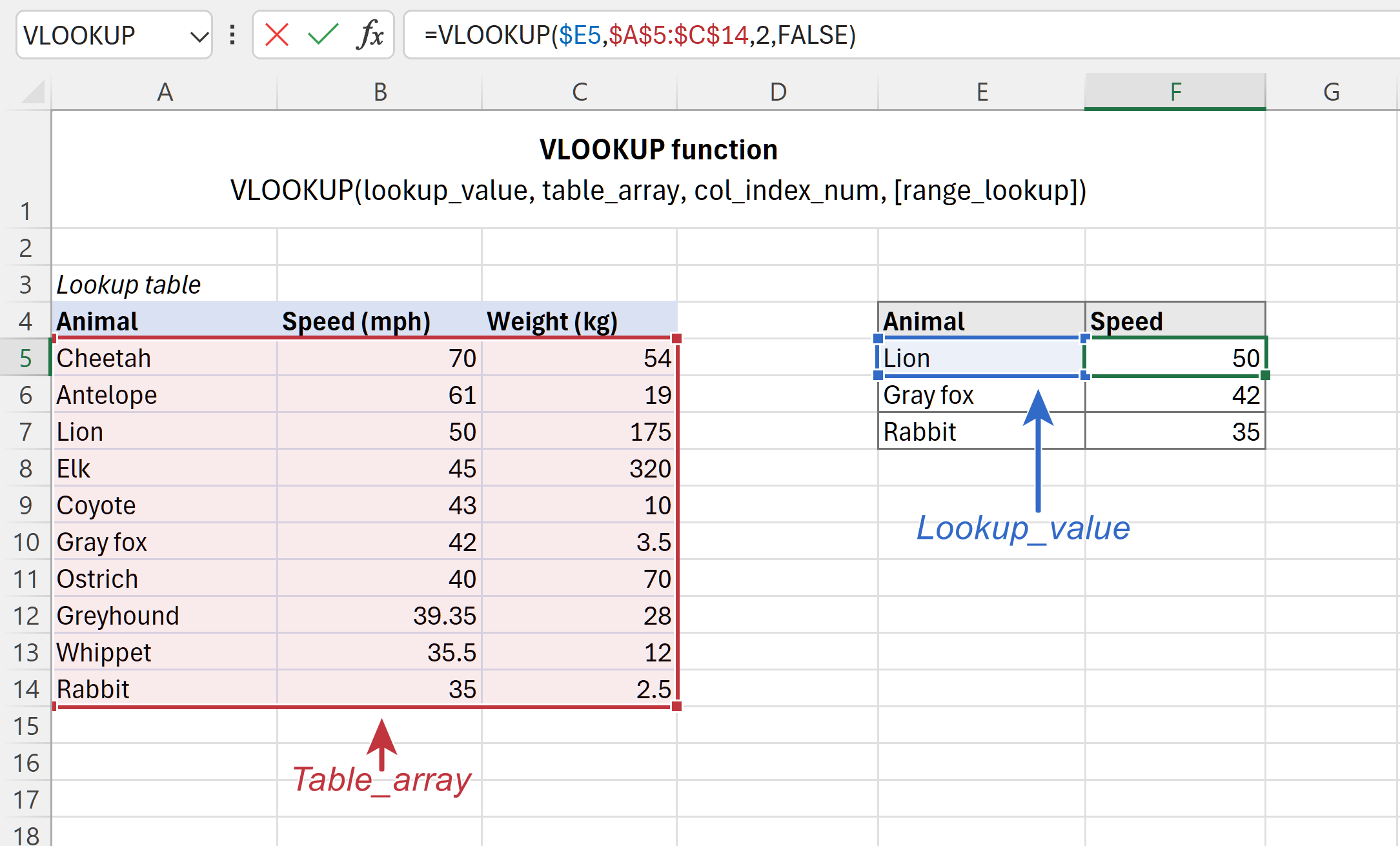
⚡ Advanced Fixes
🧹 Using TRIM Function
=VLOOKUP(TRIM(A2), A2:C10, 2, FALSE)
Removes extra spaces.
🔄 Converting Text to Numbers
- Use VALUE function
- Or multiply by 1
🎯 Tips to Avoid VLOOKUP Errors
✅ Best Practices
- Keep data clean
- Use consistent formats
- Avoid merged cells
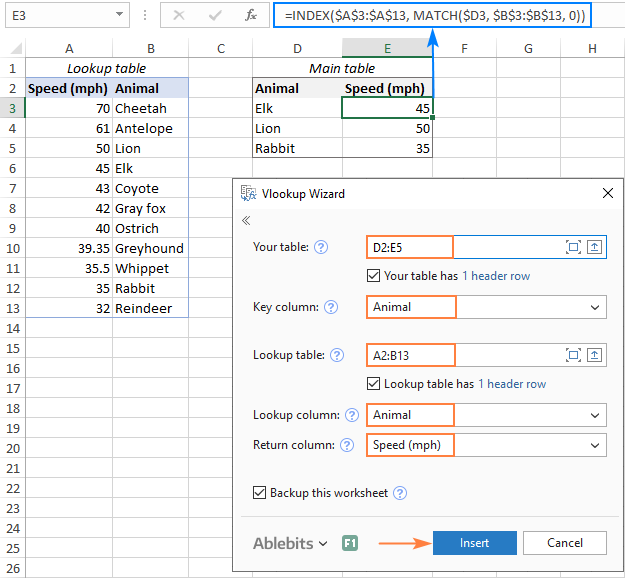
🚀 Alternative Functions
- XLOOKUP
- INDEX + MATCH
❓ FAQs
1. Why does VLOOKUP return #N/A?
Value not found or mismatch.
2. Why is my VLOOKUP showing wrong result?
Using approximate match.
3. Can spaces break VLOOKUP?
Yes, hidden spaces cause errors.
4. How do I fix text vs number issue?
Convert data types.
5. Is VLOOKUP outdated?
Partially, XLOOKUP is better.
6. Can I use VLOOKUP across sheets?
Yes, with proper references.
🏁 Conclusion
If you’ve ever wondered why is my vlookup not working, the answer usually lies in small but critical mistakes—like incorrect ranges, data mismatches, or hidden spaces.
By following the steps and screenshots in this guide, you can quickly identify and fix errors, making your Excel work smoother and more efficient.
