

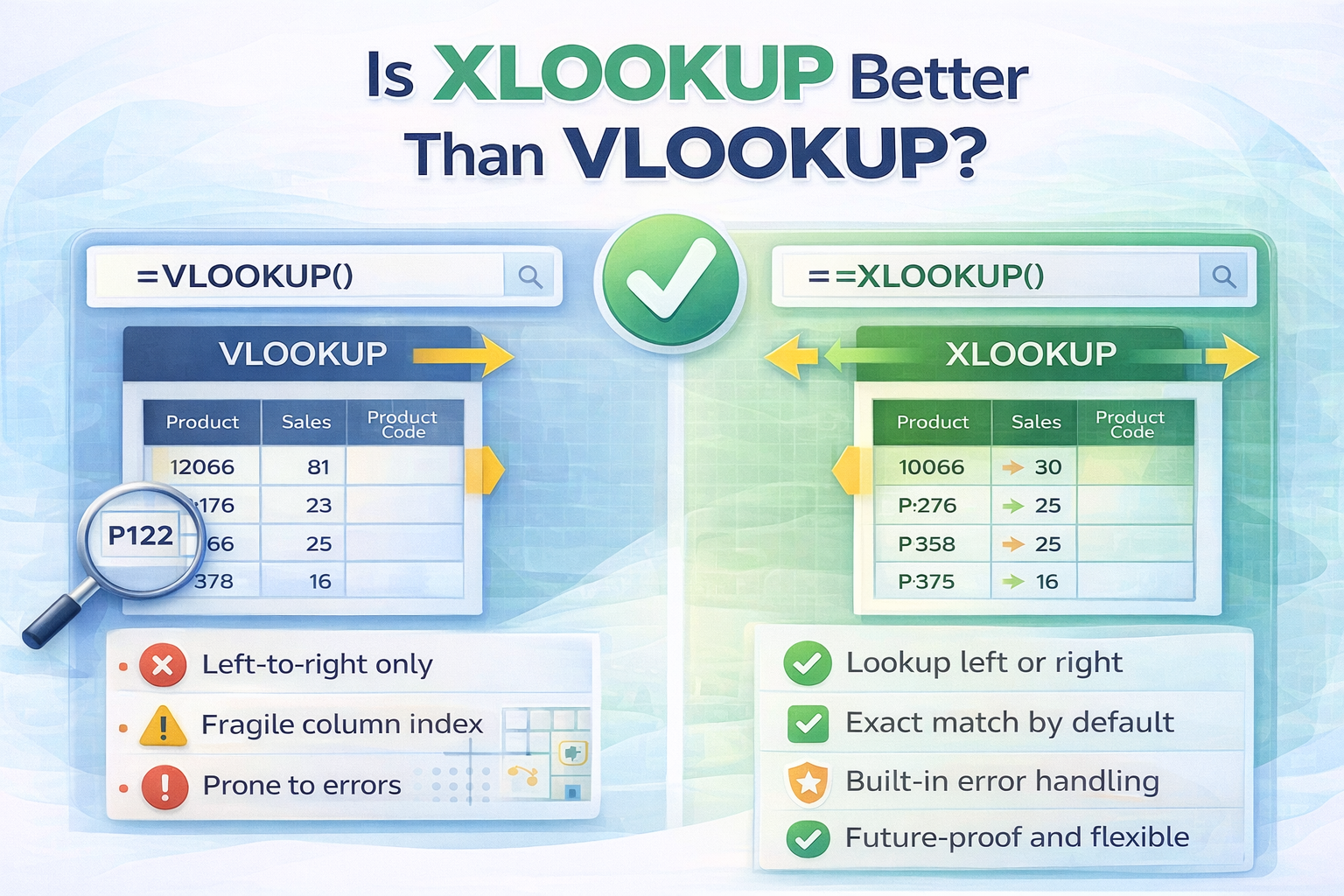
Excel users have relied on VLOOKUP for years, but with the introduction of XLOOKUP, many people now ask a simple question. Is XLOOKUP better than VLOOKUP?
The short answer is yes for most modern Excel use cases. But the real value comes from understanding why XLOOKUP outperforms VLOOKUP and when it actually matters.
In this article, we will break down the differences in a practical, beginner-friendly way.
What Is VLOOKUP and Why Was It Popular?
VLOOKUP is a classic Excel function that searches for a value in the first column of a table and returns a corresponding value from another column.
It became popular because it automated tasks like:
- Finding prices using product IDs
- Matching names with scores
- Pulling data from large tables
However, VLOOKUP has several limitations that make it risky and frustrating in real-world spreadsheets.
What Is XLOOKUP?
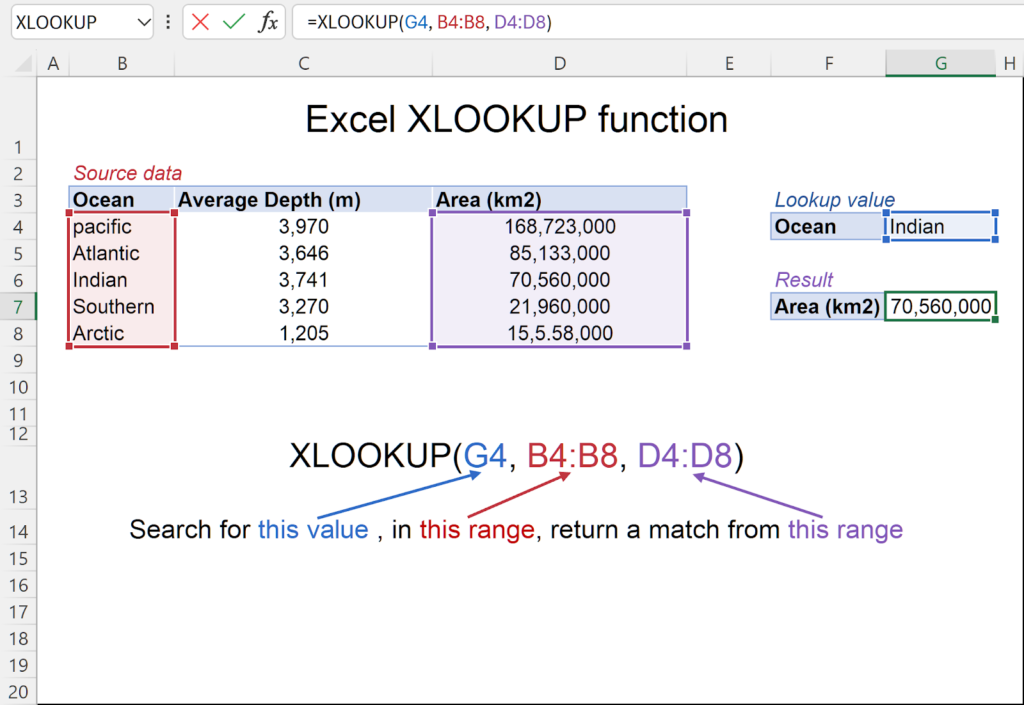
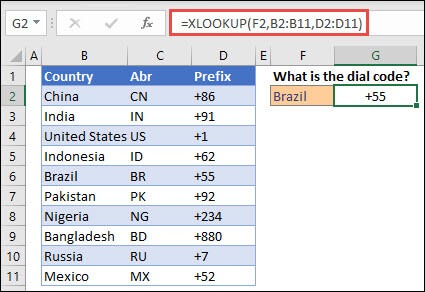
XLOOKUP is a modern replacement for VLOOKUP designed to remove its biggest weaknesses. It allows you to search for a value in one range and return a result from another range without relying on column positions.
Unlike VLOOKUP, XLOOKUP is flexible, easier to read, and safer when data structures change.
Key Differences Between XLOOKUP and VLOOKUP
1. Search Direction
VLOOKUP can only search from left to right.
XLOOKUP can search in any direction.
This alone makes XLOOKUP more powerful because you no longer need to rearrange columns just to make a formula work.
2. Column Insertion Safety
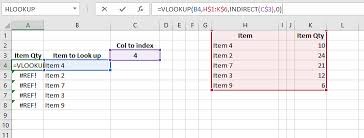
VLOOKUP uses a column index number. If you insert or delete a column, the formula can break silently.
XLOOKUP uses actual ranges, so your formulas stay accurate even when the sheet layout changes.
3. Exact Match by Default
VLOOKUP defaults to approximate matching unless you explicitly change the setting.
XLOOKUP uses exact matching by default, which greatly reduces lookup errors and unexpected results.
This makes XLOOKUP safer for beginners and professionals alike.
4. Easier Formula Structure
VLOOKUP formulas can be confusing because of column numbers.
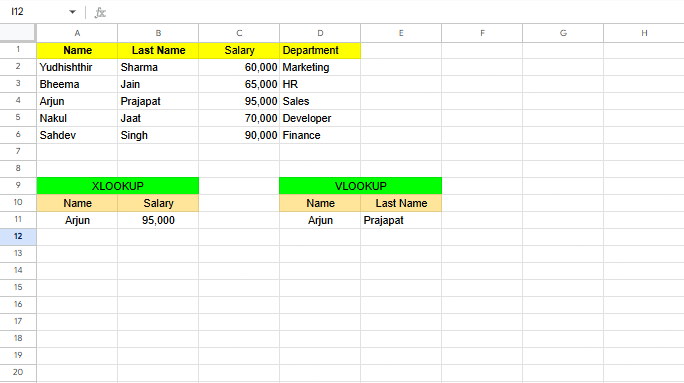
Example VLOOKUP:
=VLOOKUP(A2, A2:D20, 3, FALSE)
Example XLOOKUP:
=XLOOKUP(A2, A2:A20, C2:C20)
XLOOKUP clearly shows where data comes from and where it goes, making spreadsheets easier to understand and maintain.
5. Built-In Error Handling
With VLOOKUP, you often need IFERROR to handle missing values.
XLOOKUP includes optional error handling directly inside the function, which keeps formulas clean and readable.
Performance and Speed Comparison
For small datasets, both functions perform similarly.
For large datasets and complex models:
- XLOOKUP is more efficient
- XLOOKUP recalculates more intelligently
- XLOOKUP works better with dynamic arrays
This makes XLOOKUP the better long-term choice for growing spreadsheets.
When VLOOKUP Is Still Acceptable
Even though XLOOKUP is better, VLOOKUP still has limited use cases:
- Older Excel versions that do not support XLOOKUP
- Legacy files where changing formulas is risky
- Simple, static tables that never change
However, for any new spreadsheet, XLOOKUP is the recommended option.
So, Is XLOOKUP Better Than VLOOKUP?
Yes. In almost every practical scenario, XLOOKUP is better than VLOOKUP.
XLOOKUP is:
- More flexible
- Safer against errors
- Easier to read
- More future-proof
Microsoft designed XLOOKUP specifically to replace VLOOKUP, and once you start using it, it is very hard to go back.
Final Verdict
If you are learning Excel today or updating your skills, focus on XLOOKUP. It solves nearly all of the pain points that made VLOOKUP frustrating for years.
VLOOKUP is no longer the best tool. XLOOKUP is.
