

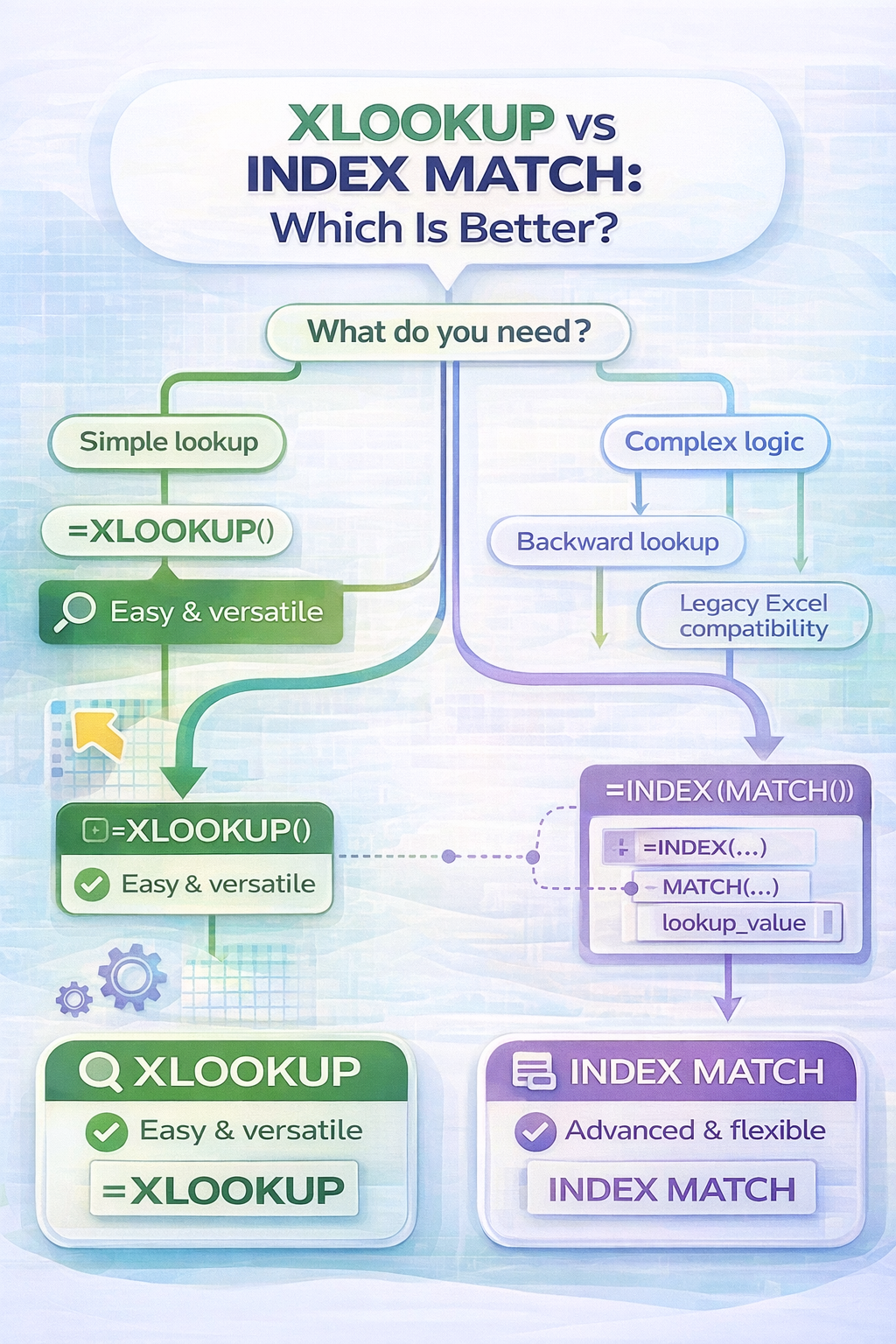
When working with Excel lookups, two options dominate modern spreadsheets. XLOOKUP and INDEX MATCH. Both are powerful, flexible, and widely used. This leads to a common question. XLOOKUP vs INDEX MATCH, which is better?
The answer depends on what you value most. Simplicity, flexibility, performance, or compatibility. In this article, we compare both approaches clearly so you can decide which one fits your workflow best.
What Is XLOOKUP?
XLOOKUP is a newer Excel function designed to replace older lookup methods. It searches for a value in one range and returns a matching value from another range.
XLOOKUP is known for being easy to read, easy to write, and safe when spreadsheet layouts change.
What Is INDEX MATCH?
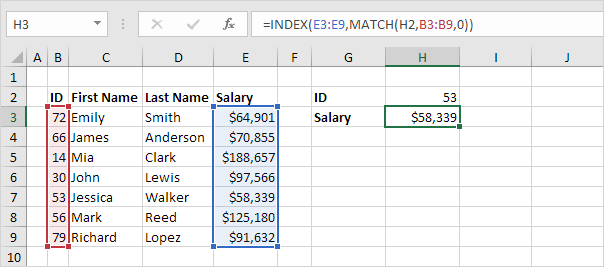
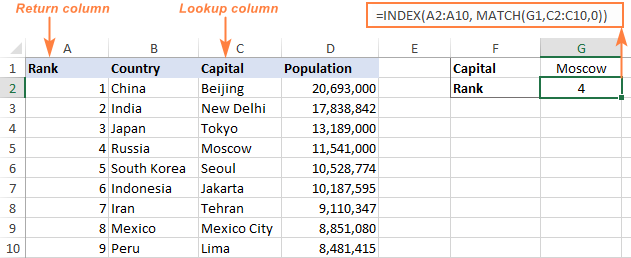
INDEX MATCH is a combination of two Excel functions used together.
- MATCH finds the position of a value in a range
- INDEX returns the value at a specific position
When combined, they create a powerful lookup system that works in any direction and has been the preferred alternative to VLOOKUP for many years.
XLOOKUP vs INDEX MATCH: Core Differences
1. Ease of Use
XLOOKUP is much easier for beginners. The syntax is clear and readable.
Example XLOOKUP:
=XLOOKUP(A2, A2:A20, B2:B20)
INDEX MATCH requires nesting functions, which can feel complex at first.
Example INDEX MATCH:
=INDEX(B2:B20, MATCH(A2, A2:A20, 0))
If readability matters, XLOOKUP has a clear advantage.
2. Formula Length and Maintenance
XLOOKUP uses one function.
INDEX MATCH uses two functions.
This means:
- XLOOKUP formulas are shorter
- XLOOKUP formulas are easier to debug
- INDEX MATCH formulas can be harder to maintain in large models
For teams and shared files, XLOOKUP is usually easier to manage.
3. Lookup Direction
Both XLOOKUP and INDEX MATCH can search in any direction.
Unlike VLOOKUP, neither method requires lookup values to be in the first column. This makes both options equally flexible in this area.
4. Performance on Large Datasets
INDEX MATCH is often slightly faster on very large datasets, especially in older Excel versions or complex workbooks.
XLOOKUP is highly optimized but may calculate a bit slower in certain advanced scenarios.
For most everyday spreadsheets, the performance difference is not noticeable.
5. Error Handling
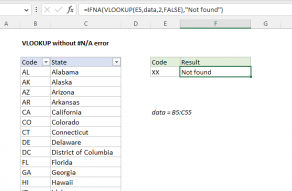
XLOOKUP includes built-in error handling, allowing you to specify what happens if a value is not found.
INDEX MATCH requires wrapping formulas with IFERROR or similar functions, which adds complexity.
6. Version Compatibility
This is one area where INDEX MATCH still wins.
- INDEX MATCH works in almost all Excel versions
- XLOOKUP is only available in newer Excel versions
If you frequently share files with users on older Excel installations, INDEX MATCH may be the safer choice.
When XLOOKUP Is Better
XLOOKUP is the better option when:
- You want simple, readable formulas
- You are building new spreadsheets
- You want built-in error handling
- You work with dynamic arrays
- You want fewer formula mistakes
For most modern Excel users, XLOOKUP is the preferred choice.
When INDEX MATCH Is Better
INDEX MATCH may be better when:
- You need maximum compatibility
- You work with very large or complex models
- You are maintaining legacy spreadsheets
- You already rely heavily on INDEX MATCH logic
Advanced users still appreciate its control and performance.
Final Answer: Which Is Better?
In the debate of XLOOKUP vs INDEX MATCH, XLOOKUP wins for simplicity, clarity, and modern Excel workflows.
INDEX MATCH remains powerful and relevant, especially for compatibility and performance-focused users.
If you are starting fresh, choose XLOOKUP.
If you are maintaining older models, INDEX MATCH still has value.
Conclusion
XLOOKUP represents the future of Excel lookups. INDEX MATCH represents the foundation many experts built their skills on.
Knowing both gives you flexibility, confidence, and full control over your spreadsheets.
