
Close Menu
    XLOOKUP
    • Home
    • Blogs
    • XLOOKUP
    • Excel Guide
    • Excel Formulas
    Build Formula
    XLOOKUP
    Home ยป When Did XLOOKUP Come Out?
    Excel Guide

    When Did XLOOKUP Come Out?

    adminBy adminFebruary 9, 2026Updated:February 9, 2026No Comments3 Mins Read
    Facebook Twitter Pinterest LinkedIn Tumblr Email
    When Did XLOOKUP Come Out?

    XLOOKUP is now one of the most widely used lookup functions in Excel, but many users still ask an important question. When did XLOOKUP come out and how did it become part of Excel?

    Knowing the release timeline helps explain why some Excel versions include XLOOKUP while others do not, and why it is considered a modern replacement for older lookup formulas.


    When Was XLOOKUP Introduced in Excel?

    XLOOKUP was officially introduced by Microsoft in August 2019.

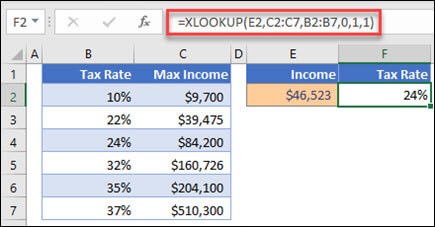
    It first appeared in Excel for Microsoft 365, which receives ongoing feature updates. At launch, Microsoft described XLOOKUP as the future of Excel lookups, designed to replace VLOOKUP, HLOOKUP, and many INDEX MATCH use cases.

    Why Did Microsoft Release XLOOKUP?

    Before XLOOKUP, Excel users relied on older functions that had well known limitations.

    Common problems included:

    • Formulas breaking when columns were inserted
    • Dependence on column index numbers
    • Difficulty performing left side lookups
    • Complex formulas that were hard to maintain

    XLOOKUP was created to solve these issues with a single, flexible function that worked in all directions and returned exact matches by default.


    Which Excel Versions Support XLOOKUP?

    XLOOKUP availability depends entirely on the Excel version you are using.

    XLOOKUP is available in:

    • Excel for Microsoft 365
    • Excel 2021
    • Excel 2024 and newer versions

    XLOOKUP is not available in:

    • Excel 2019
    • Excel 2016
    • Older perpetual versions

    This version limitation is the most common reason users cannot access XLOOKUP.


    Was XLOOKUP Released Outside Excel?

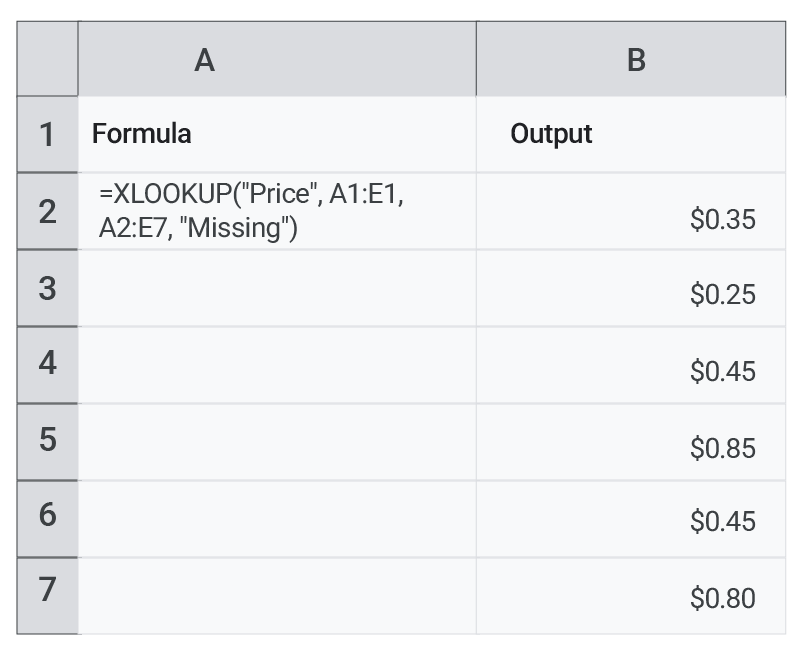
    Yes. After its success in Excel, XLOOKUP was later added to Google Sheets.

    Although the release came later than Excel, the function works in a very similar way and follows the same core logic. This made XLOOKUP useful across spreadsheet platforms.

    How XLOOKUP Changed Lookup Functions

    Since its release, XLOOKUP has become the recommended lookup function because it:

    • Uses exact matching by default
    • Allows left and right lookups
    • Includes built in error handling
    • Works with dynamic arrays
    • Replaces multiple older functions

    For new spreadsheets, Microsoft now encourages users to choose XLOOKUP over older alternatives.


    Quick Timeline Overview

    EventYear
    XLOOKUP announced by Microsoft2019
    First released in Excel2019
    Added to Excel 20212021
    Added to Google SheetsLater years

    Final Answer

    So, when did XLOOKUP come out?

    XLOOKUP was introduced in August 2019 as part of Excel for Microsoft 365. It later became available in newer standalone Excel versions and expanded to Google Sheets.

    Since its release, XLOOKUP has transformed how users perform lookups and is now considered the modern standard.

    Share. Facebook Twitter Pinterest LinkedIn Tumblr Email
    admin
    • Website

    Related Posts

    How to Find Duplicates in Excel: 11 Easy Methods That Actually Work

    April 2, 2026

    How to Create Drop Down List in Excel: 9 Simple Steps for Beginners

    April 2, 2026

    Why Is My VLOOKUP Not Working? 11 Common Errors and Easy Fixes

    April 1, 2026
    Leave A Reply Cancel Reply

    Categories
    • Excel Formulas
    • Excel Guide
    • XLOOKUP
    Latest Posts

    How to Freeze a Row in Excel: 7 Quick Steps to Keep Headers Visible

    April 2, 2026

    How to Find Duplicates in Excel: 11 Easy Methods That Actually Work

    April 2, 2026

    How to Create Drop Down List in Excel: 9 Simple Steps for Beginners

    April 2, 2026

    XLOOKUP Returning 0 Instead of Blank: 9 Easy Fixes You Must Know

    April 1, 2026

    Why Is My VLOOKUP Not Working? 11 Common Errors and Easy Fixes

    April 1, 2026

    How to Use XLOOKUP in Excel with Two Sheets: 9 Easy Steps for Accurate Results

    April 1, 2026

    Free XLOOKUP formula generator and interactive guide for Excel users. Learn how to use XLOOKUP in Excel with step-by-step examples.
    Categories
    • Excel Formulas
    • Excel Guide
    • XLOOKUP
    Company
    • Contact Us
    • About Us
    • Privacy Policy

    How to Freeze a Row in Excel: 7 Quick Steps to Keep Headers Visible

    April 2, 2026

    How to Find Duplicates in Excel: 11 Easy Methods That Actually Work

    April 2, 2026
    © 2026 xlookup.co.uk XLOOKUP.

    Type above and press Enter to search. Press Esc to cancel.

    Powered by
    ►
    Necessary cookies enable essential site features like secure log-ins and consent preference adjustments. They do not store personal data.
    None
    ►
    Functional cookies support features like content sharing on social media, collecting feedback, and enabling third-party tools.
    None
    ►
    Analytical cookies track visitor interactions, providing insights on metrics like visitor count, bounce rate, and traffic sources.
    None
    ►
    Advertisement cookies deliver personalized ads based on your previous visits and analyze the effectiveness of ad campaigns.
    None
    ►
    Unclassified cookies are cookies that we are in the process of classifying, together with the providers of individual cookies.
    None
    Powered by